Borrow and renew
Library physical collections can be searched in the CERN Library Catalogue and most of them are available for loan. There is no limit to the number of books you can take out on loan at once.
Borrow at the Library
You can borrow with your CERN card at the Library desk (bldg. 52/1-052, Monday – Friday, 9 a.m. – 6 p.m.).
If a document is ‘on shelf’, you can find it on the shelf.
If the location is in a ‘Depot’, please ask for it at the Library desk.
You can also request the document in the CERN Library Catalogue and choose the option ‘Pick it up at the library desk’. We will prepare it for you and you will be notified when it is ready.
Borrow from your office
Physical documents can be requested in the CERN Library Catalogue where you can ‘Request’ the document on its detail page. Choose the option ‘Have it delivered to my office’. Internal delivery takes around 2-3 days.
This service is free of charge.
Borrow out-of-hours
To borrow a book outside of opening hours, please follow the procedure below:
- Take the book from the shelf.
- Locate the barcode, that can be found on the first page inside the book.
- Email the barcode to library.desk@cern.ch
- Our team will register the loan on your behalf.
Loan period and renewals
The normal loan period is 1 week or 4 weeks, depending on the document type, and is renewable if nobody else has requested the document. To check your loans and renew, see your online profile in the CERN Library Catalogue.
How to find a book
All of our collection can be searched in the CERN Library Catalogue.
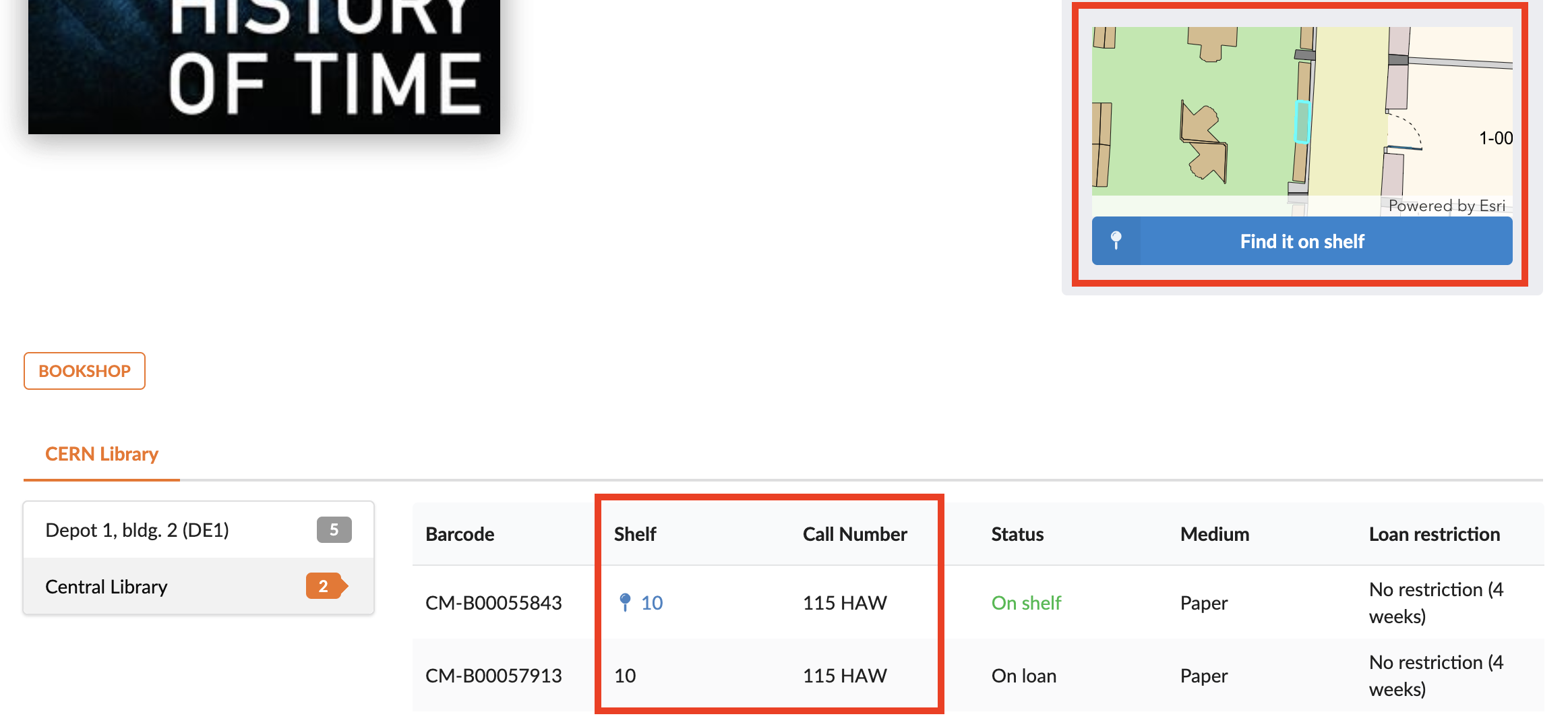
The catalogue entry shows the book’s call number and shelf number. The shelf number tells you which shelf to look for, and the call number provides the exact location of the book. Shelf numbers are displayed on the top of each bay, or you can select Find it on shelf to view the shelf location on the CERN map.